Explainer
Website Change Monitoring vs. Answer Monitoring: What’s the Difference?
Compare page-change alerts with answer monitoring, understand the signal each approach provides, and choose the right one for what you need to know.
Website monitoring sounds like one category, but two very different jobs often hide behind that phrase.
Sometimes you need to know whether a particular page changed. Other times you need to know whether something in the world became true. Those goals overlap, but they are not the same.
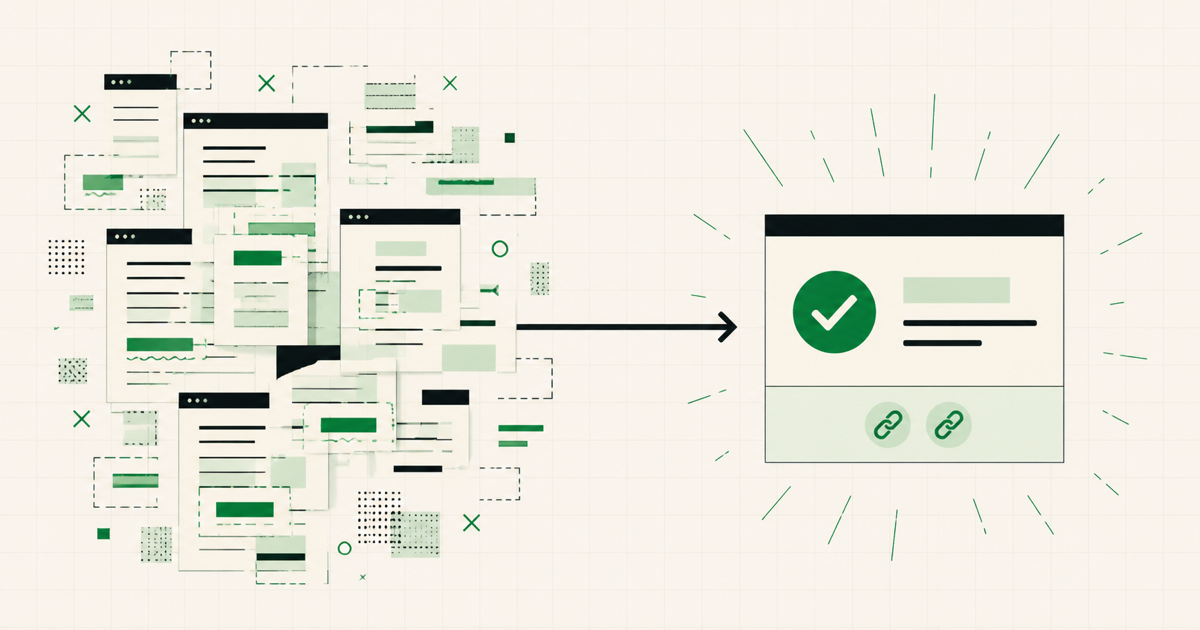
Page-change monitoring watches the document. Answer monitoring watches the outcome.
Understanding that difference helps you choose the right tool and avoid alerts that create more work than they remove.
Page-change monitoring asks “What changed here?”
A conventional change detector starts with one or more web pages. It might compare text, HTML, a selected element, or a screenshot against the previous version. When the monitored material differs, it records or sends the change.
This approach is excellent when the change itself is the information you need. Examples include:
- a legal page receives new wording;
- a public dataset publishes another row;
- a competitor changes a pricing table;
- a documentation page edits an API parameter;
- a page element disappears or moves.
The monitor does not necessarily need to understand why the page changed. Its job is to notice a difference accurately.
That precision can also require setup. You may need to choose the correct URL, define a selector, exclude a timestamp, or adjust the comparison when the site redesigns its markup.
Answer monitoring asks “Is this true yet?”
Answer monitoring begins with a question rather than a page:
Has the next Raspberry Pi been officially announced?
The answer might appear first in a newsroom post, a product catalog, a distributor listing, or credible reporting that cites an official statement. No single page is guaranteed to contain the first useful signal.
The monitor therefore evaluates public web sources and returns a yes-or-no result with reasoning. When that result changes to the condition you selected, it can notify you.
This approach is a better fit when your goal is semantic rather than visual. You care that the console is available, not that its product page replaced one banner. You care that tickets are on sale, not that the venue changed its footer.
The difference is signal versus evidence
With a page-change detector, the page edit is the signal. You receive the difference and decide what it means.
With answer monitoring, the yes-or-no result is the signal. The pages are evidence supporting that result.
Consider a product launch. Before release, the manufacturer's page may change dozens of times: copy edits, accessibility improvements, new marketing images, regional banners, or tracking scripts. A page monitor can faithfully report all of them. You still have to decide whether any change means the product is available.
An answer monitor instead evaluates the question “Is this product available to buy in the United States?” Most edits do not change the answer, so they do not become the event you are waiting for.
Neither approach is universally better. They compress different kinds of work.
When page-change monitoring is the better tool
Choose page-change monitoring when:
- one known page is the authoritative object;
- every textual or visual edit matters;
- you need an exact before-and-after record;
- the relevant content lives in a stable element you can select;
- human interpretation of the difference is part of the task.
For compliance, content QA, archival work, and visual regression checks, exact page differences can be essential. Reducing those differences to yes or no would discard useful information.
When answer monitoring is the better tool
Choose answer monitoring when:
- the outcome may be reported across several public sources;
- many page edits do not affect the thing you care about;
- the question has a clear yes-or-no state;
- you want reasoning and sources instead of raw diffs;
- your main goal is to stop repeating the same search.
Release dates, official announcements, stock availability, application openings, ticket sales, and software launches often fit this shape. The web pages are paths to the answer, not the object you want to inspect.
What answer monitoring does not replace
Turning a question into yes or no necessarily removes detail. It does not replace an audit log when every wording change must be preserved, a price history when the full curve matters, or a visual regression suite when pixels and layout are the subject of the test.
It also works best with information that can be found on public sources. A question about a private account, an internal dashboard, or inventory visible only after login cannot be evaluated from the open web in the same way.
The useful test is whether evidence can support one stable conclusion. If reasonable sources could mean several incompatible things, tighten the question before automating it.
Some questions need both approaches
The tools can complement each other. A developer may use a page-change monitor to follow every edit to technical documentation while using an answer monitor for the narrower question “Has version 4.0 reached stable release?”
A shopper might watch a specific product-page price while separately asking whether the item is available from any official retailer at MSRP.
The first tool preserves detailed changes. The second removes the need to interpret every change as a possible milestone.
Write the job before choosing the tool
The easiest way to decide is to finish one sentence:
I need to know when ______.
If the blank is “this page changes,” use page-change monitoring.
If the blank is “this outcome becomes true,” write that outcome as a yes-or-no question. Make it specific about the product, region, version, source standard, or price constraint that matters. Then choose a schedule and notification condition that fit the event.
The distinction is small in wording but large in practice. One approach gives you differences to review. The other gives you an answer to act on.
See more examples of questions that work well with YesNotice.